
Create Bulk Sales Entries in Taxlink
Create many sales entries at once: download the sample file, fill it in, upload it, check mapping and GST ledgers, then save and send to Tally.
Before you start
- An active Taxlink subscription and a role with bulk upload access
- Sales data with customer and item details
- GST ledgers set up in Tally
Step 1: Open Bulk Upload → Sales
Open the sales upload screen.
- Log in to your Taxlink dashboard
- Click "Bulk Upload" in the left sidebar
- Select "Sales / Sales Return"
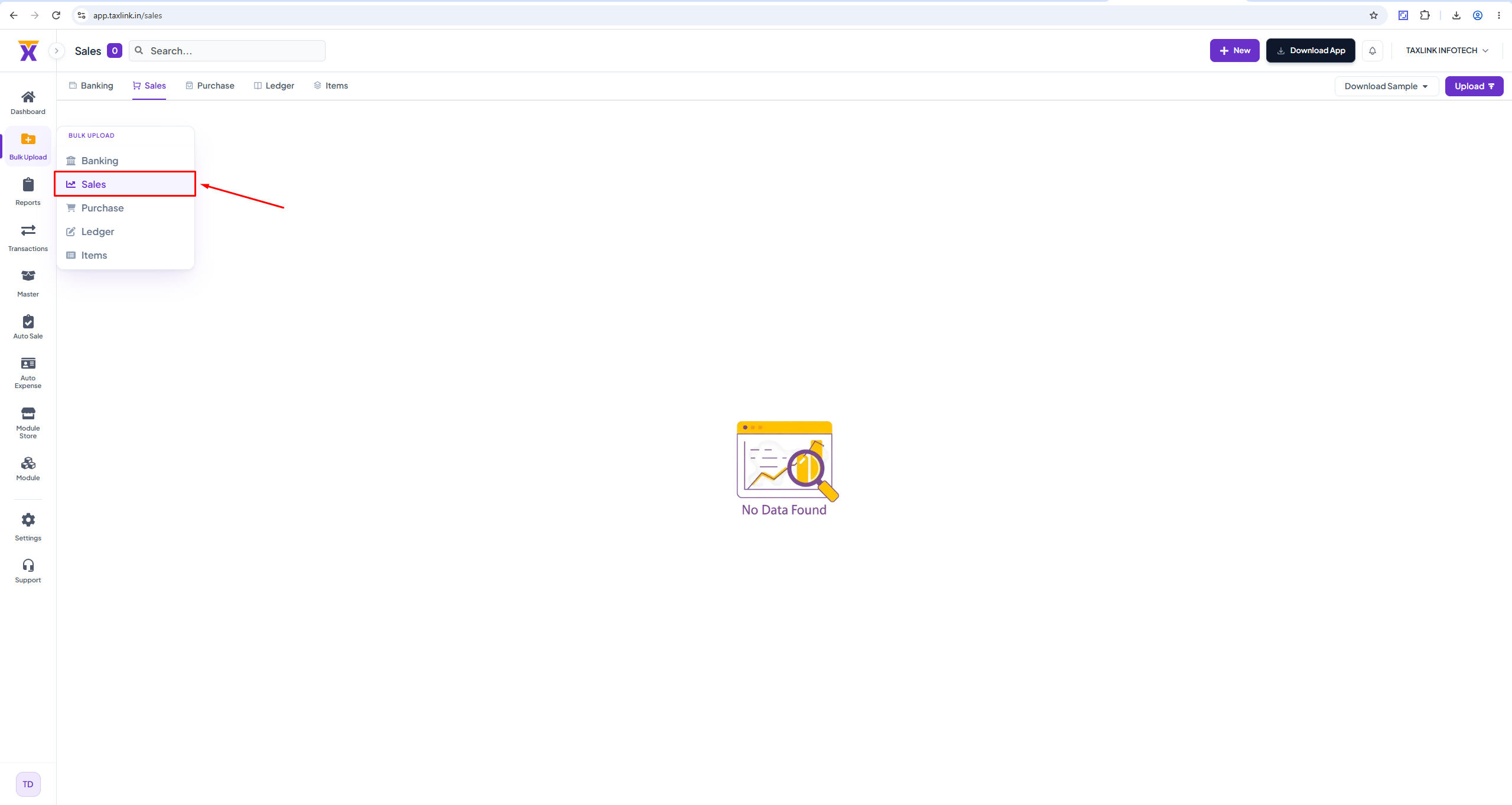
Click the screenshot to open it full size. Step 2: Download the sample file
Download the sample template to see the required structure.
- Click "Download Sample Excel" (or the PDF sample)
- Excel is recommended for entering data
- Note the column headers and mandatory fields
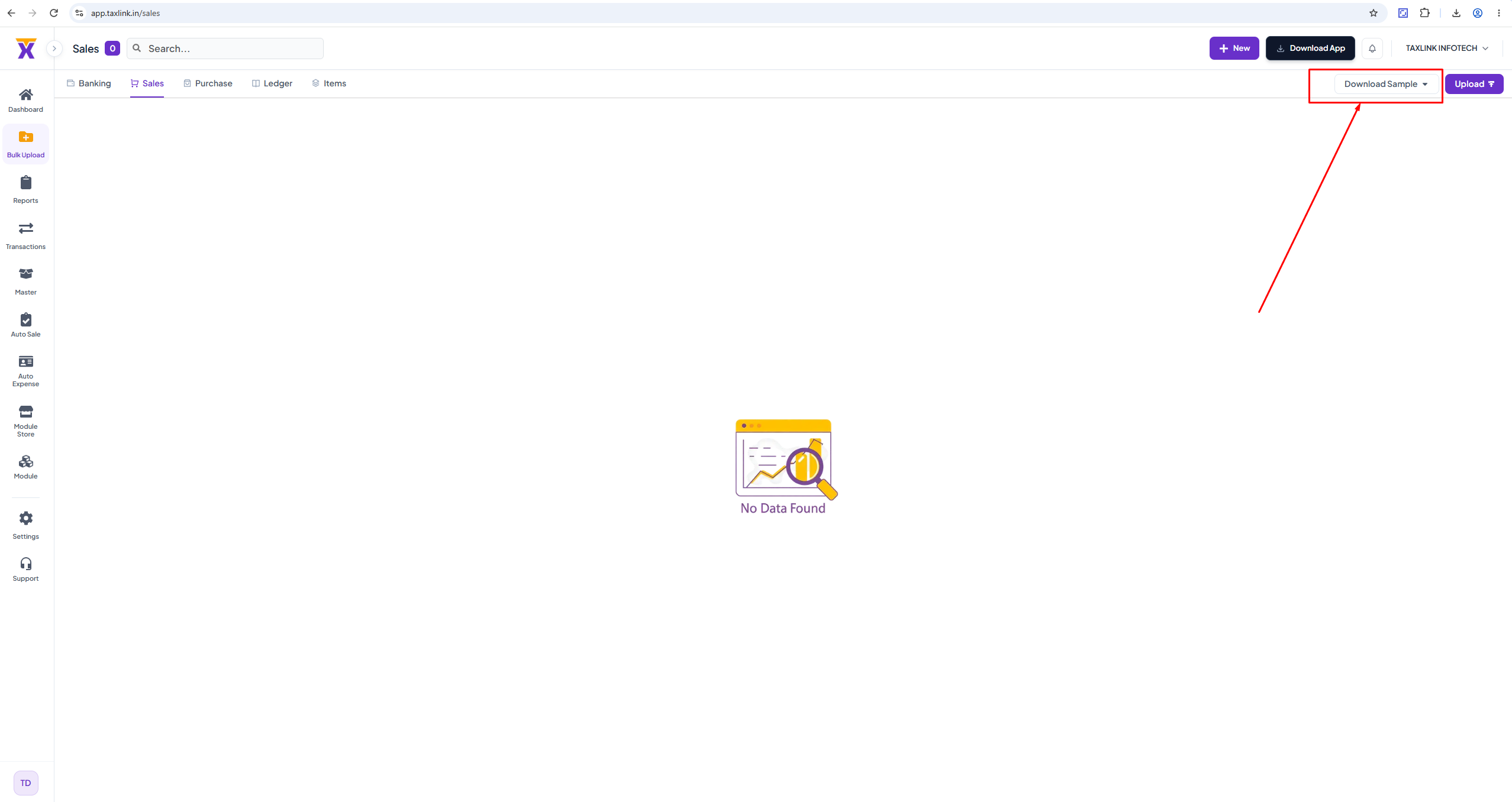
Click the screenshot to open it full size. Step 3: Fill in the file
Add your sales data to the template.
- Customer name and details
- Item or service, quantity, rate and amount
- GST rate and HSN/SAC code
- Invoice date and invoice number
- Check number and date formats (DD/MM/YYYY)
- Save the file with a clear name
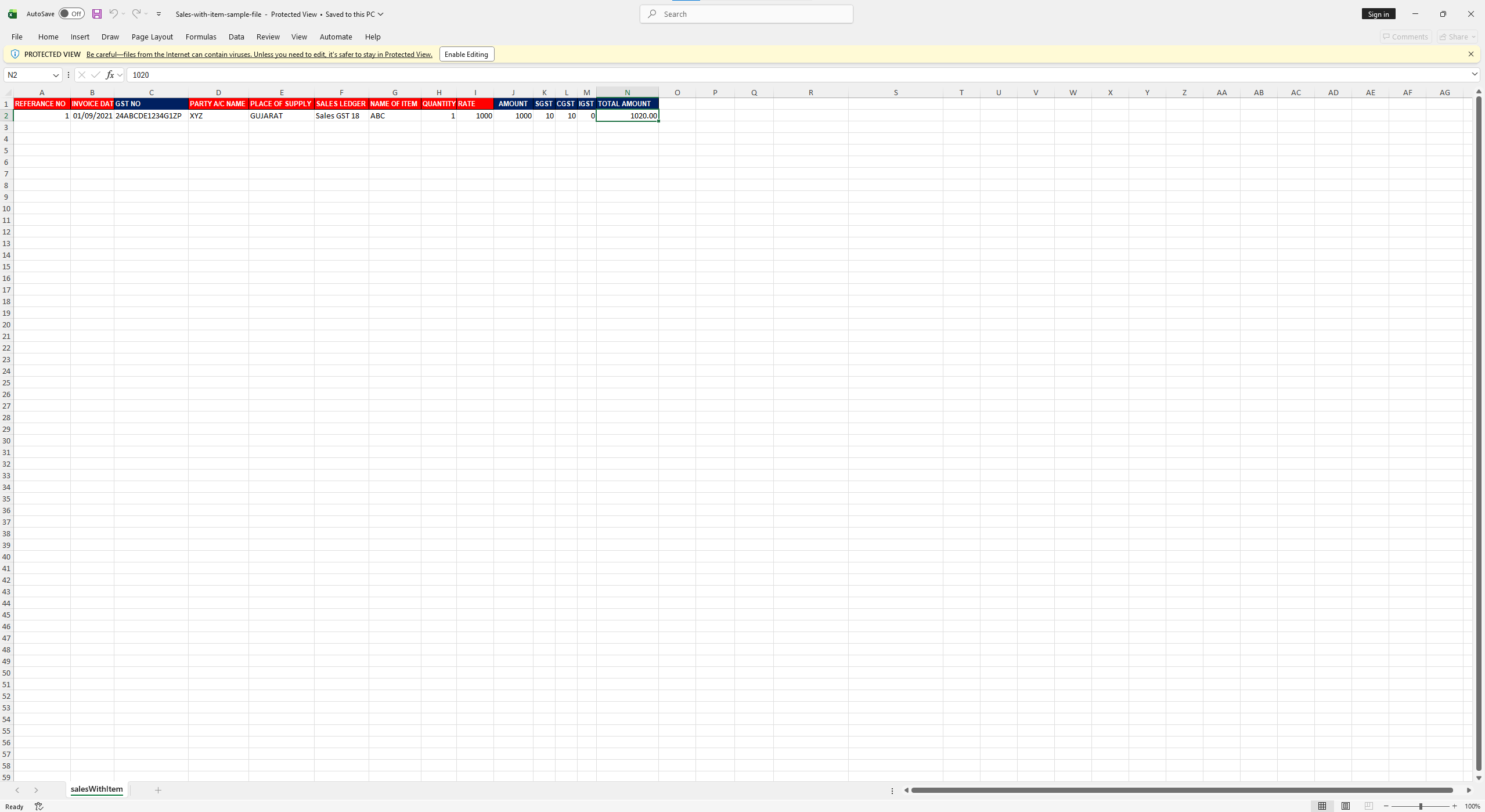
Click the screenshot to open it full size. Step 4: Upload the files (single or multiple)
Upload one file or several together.
- Click "Upload"
- Select one file, or hold Ctrl/Cmd to select several
- Supported formats: .xlsx, .xls, .pdf
- Check the upload status of each file
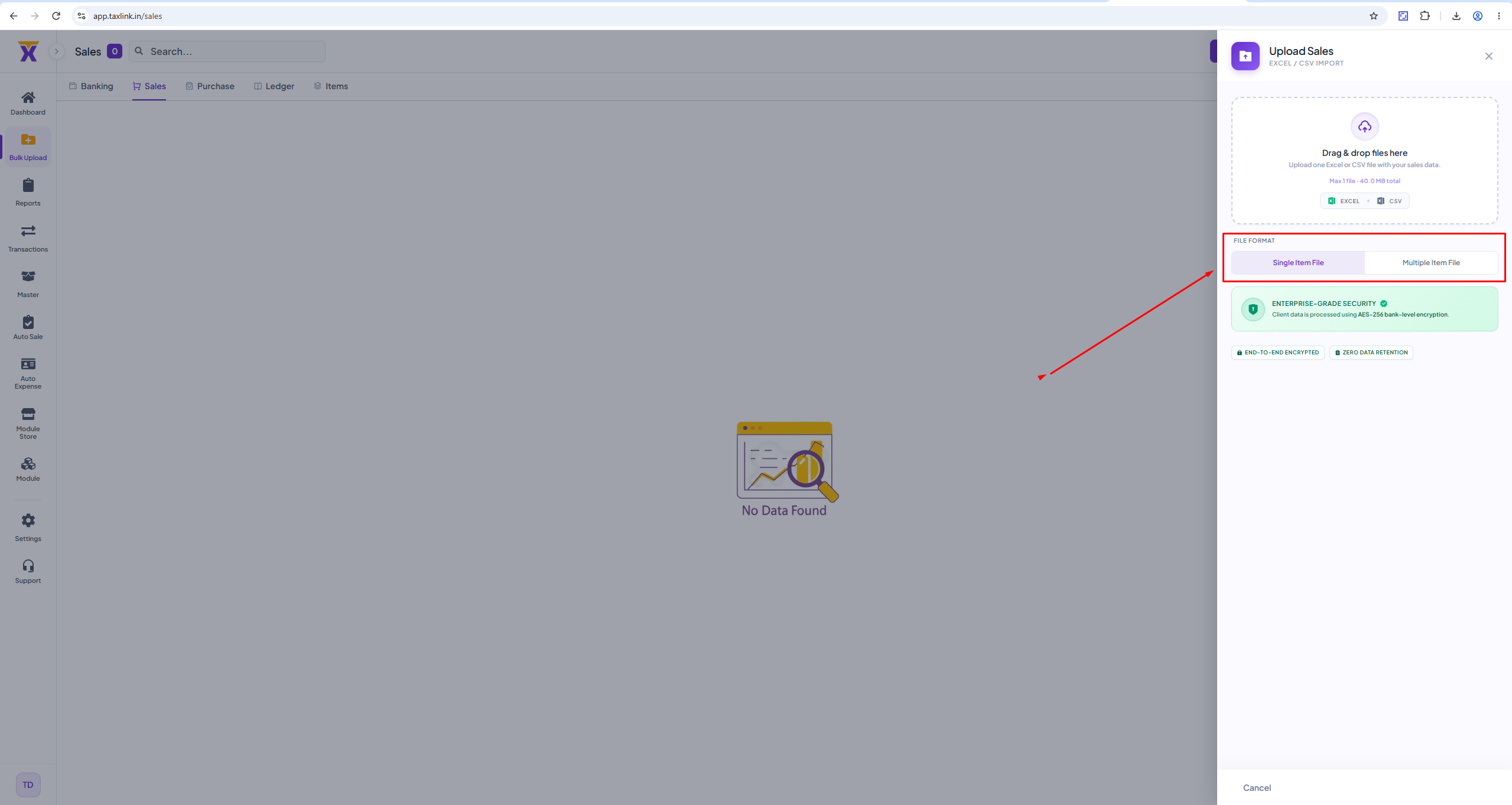
Click the screenshot to open it full size. Step 5: Check mapped and unmapped data
See which rows matched existing customers and items.
- Mapped: rows matched to existing ledgers and items
- Unmapped: rows that need a ledger or item mapped or created
- Resolve conflicts or duplicates before continuing
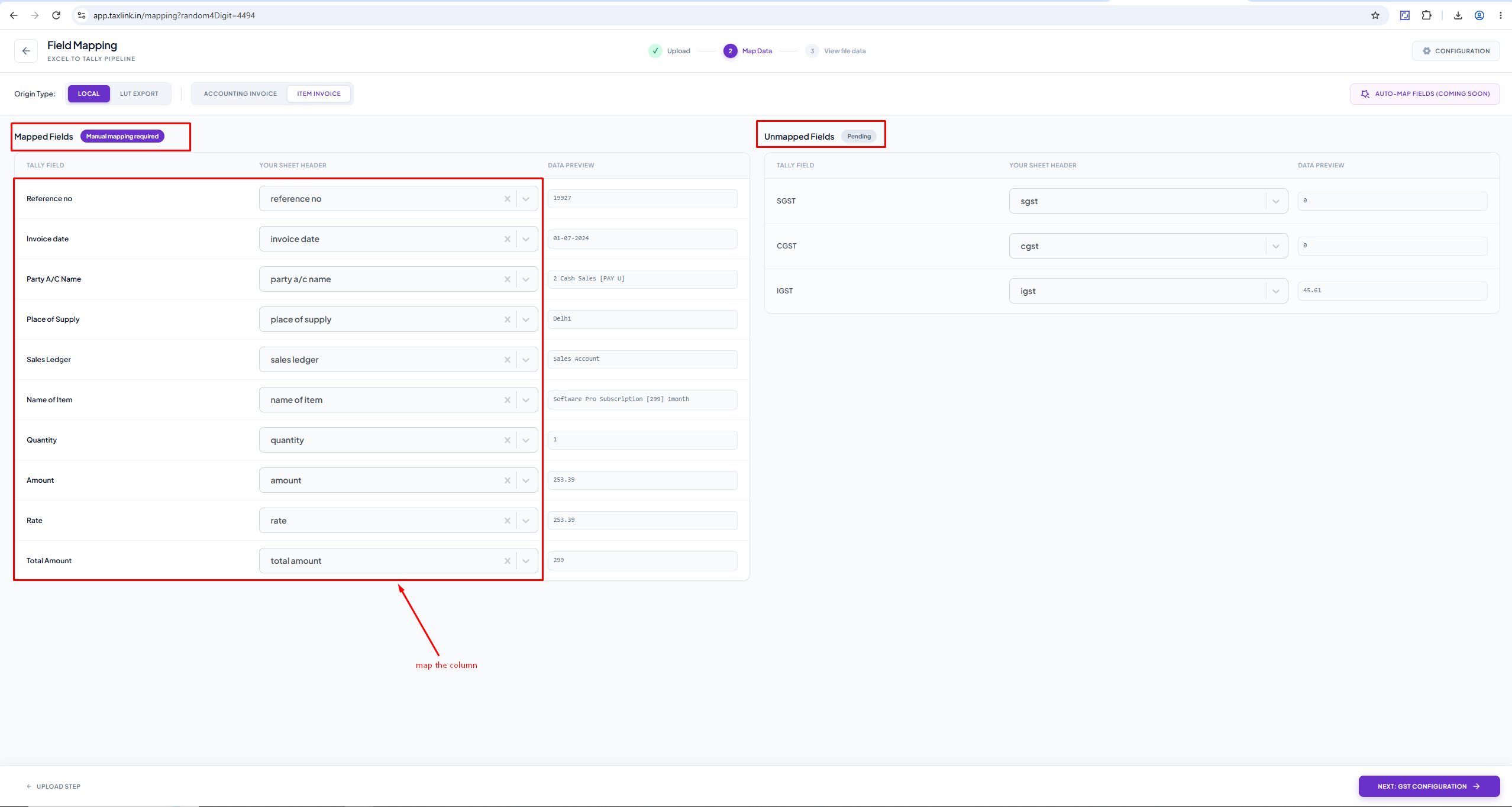
Click the screenshot to open it full size. Step 6: Select GST ledgers from the Excel sheet
Assign output GST ledgers based on the rates in your file.
- Map each GST rate to the right sales ledger
- Set the CGST, SGST and IGST (output) ledgers
- Check that interstate and intrastate sales use the right ledgers
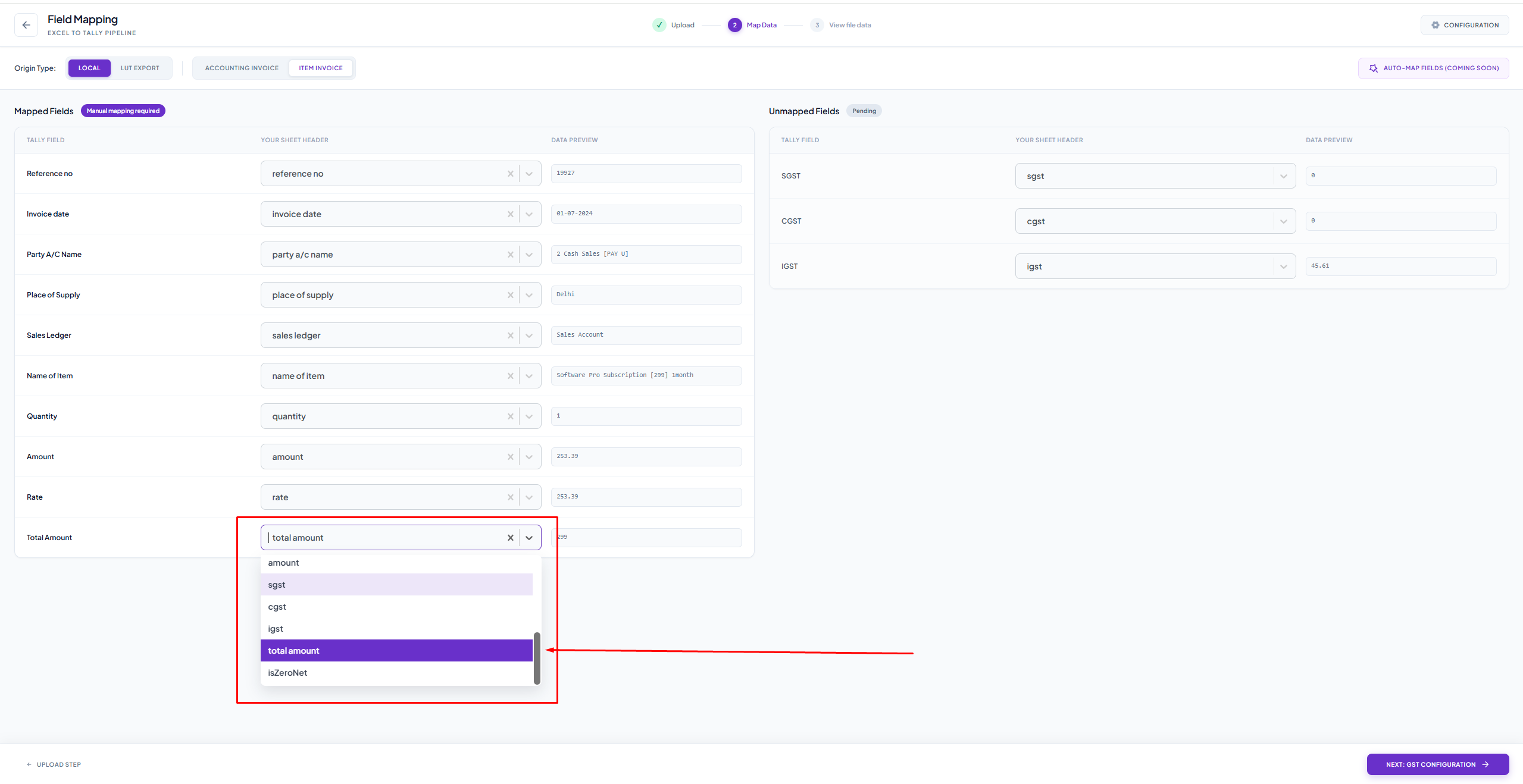
Click the screenshot to open it full size. Step 7: Turn on GST auto calculation (if needed)
Let Taxlink calculate GST if your file doesn't include tax amounts.
- Find the "GST Auto Calculation" option
- Turn it on if tax needs to be calculated
- Leave it off if your Excel already has GST amounts
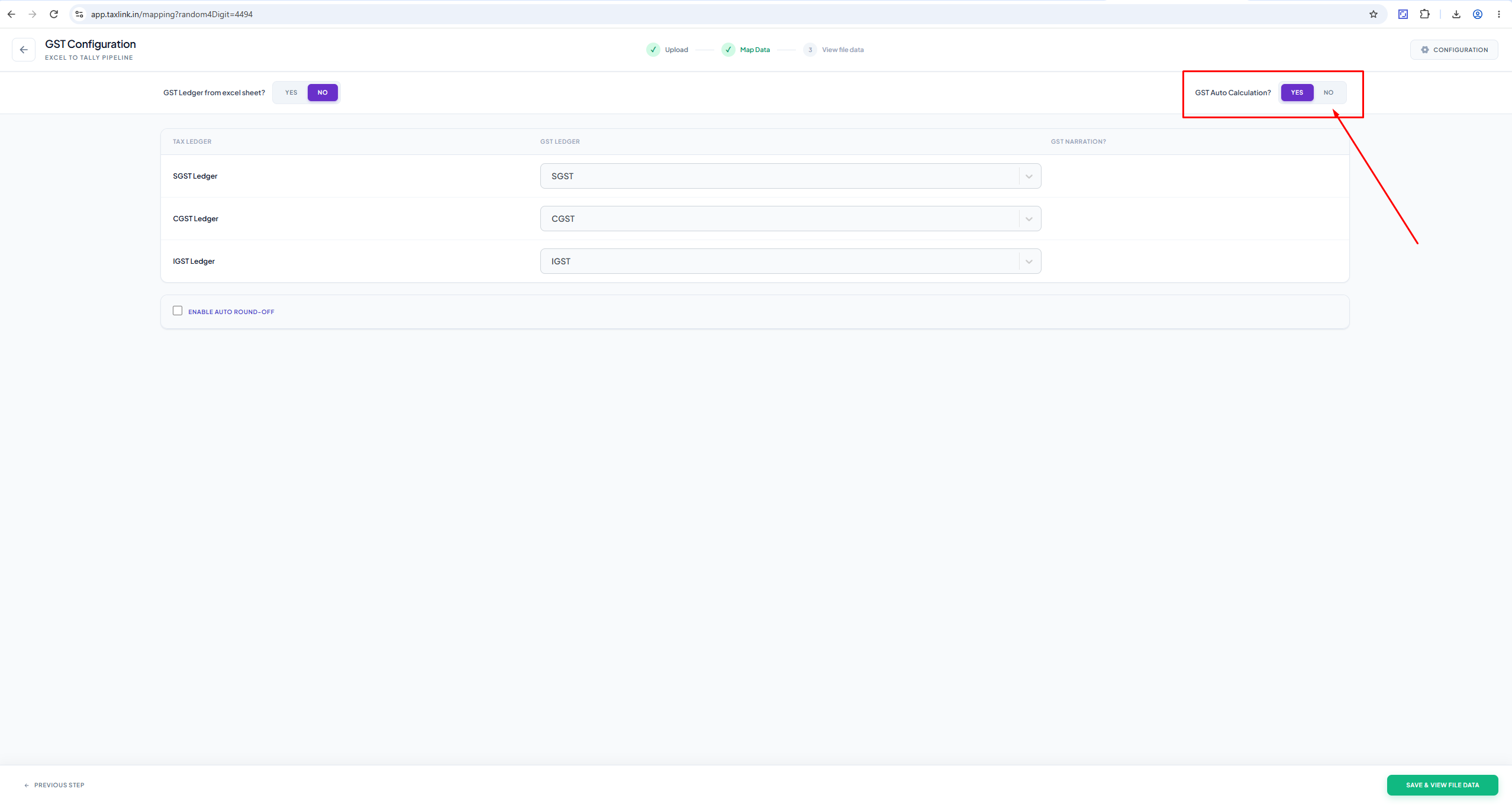
Click the screenshot to open it full size. Step 8: Click Save & View file data
Save the entries in Taxlink.
- Review all entries
- Click "Save"
- Check the confirmation message
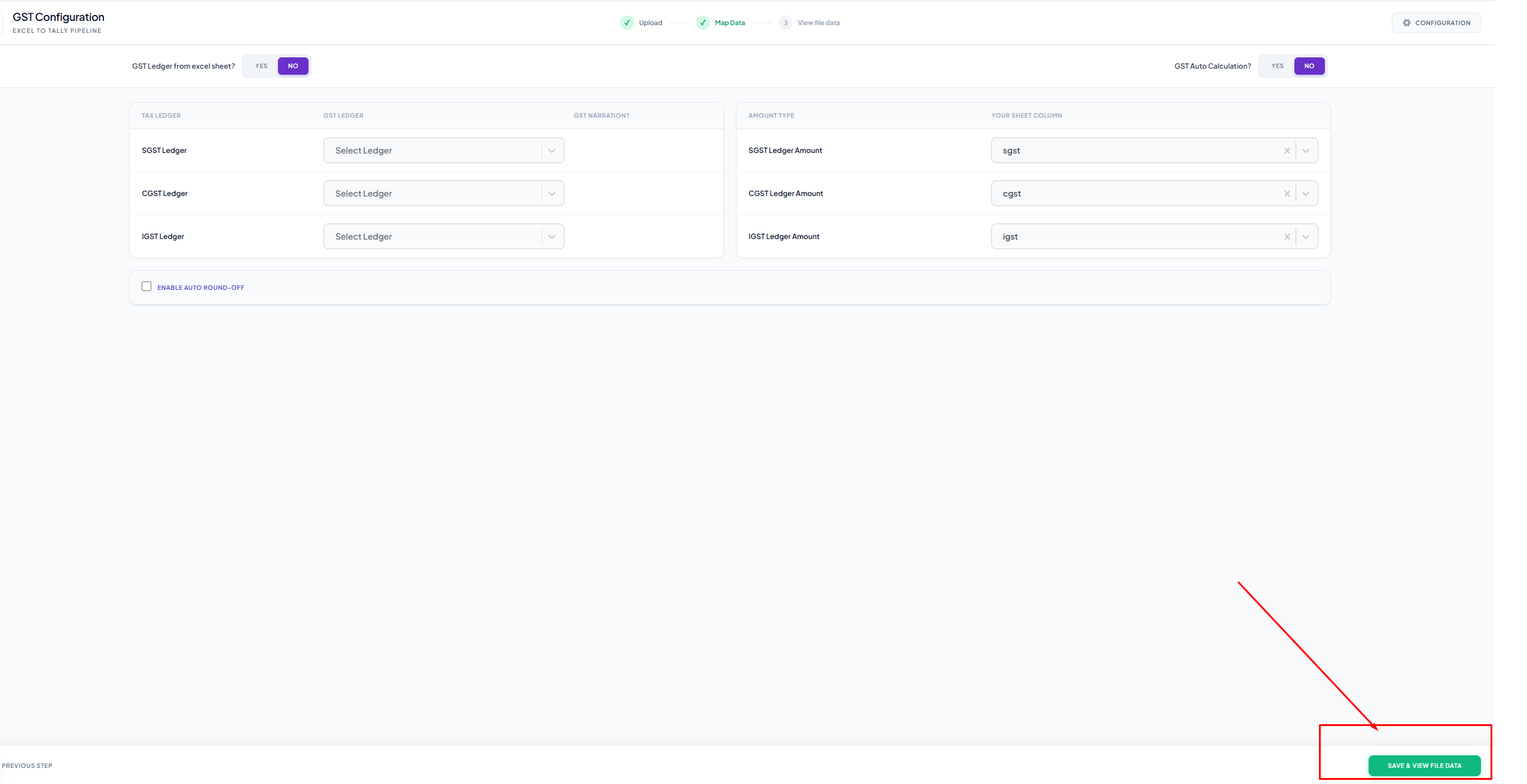
Click the screenshot to open it full size. Step 9: Send to Tally
Send the saved entries to Tally.
- Click "Push to Tally" button
- Wait for the sync to finish
- Check the sales entries and GST in Tally
- Resolve any sync errors
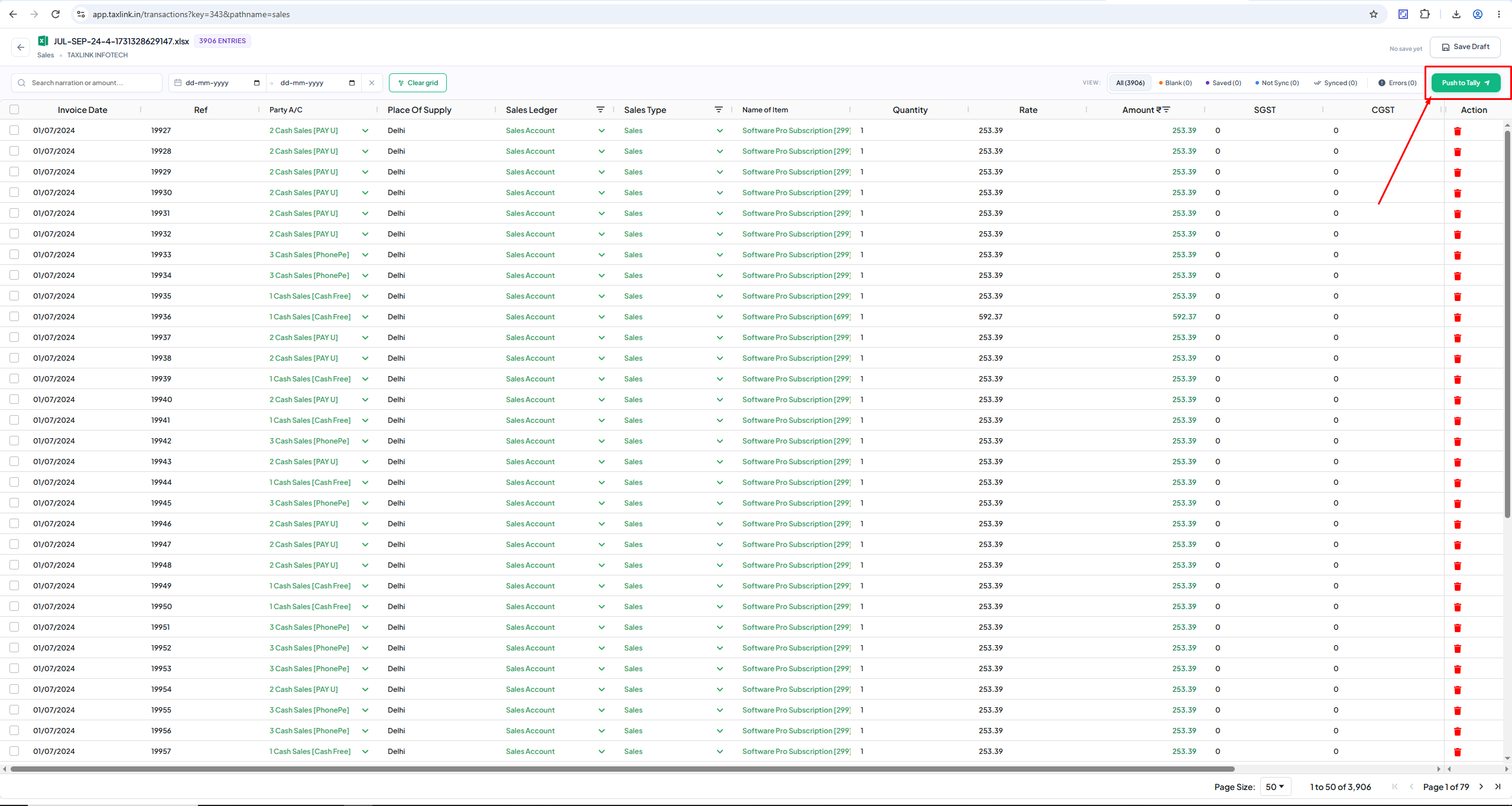
Click the screenshot to open it full size.
Tips
Use the latest template
Download the sample file again before a new upload so the columns match.
Consistent names
Keep customer and item names consistent to improve mapping.
Avoid duplicates
Review mapped and unmapped rows carefully to avoid duplicate entries.
Check GST
Double-check GST rates and HSN codes before sending to Tally.
Still stuck?
Email support@taxlink.in or call +91 84848 48833 (Monday to Saturday, 9 AM – 6 PM IST).