
Generate e-invoices and e-way bills from your sales vouchers
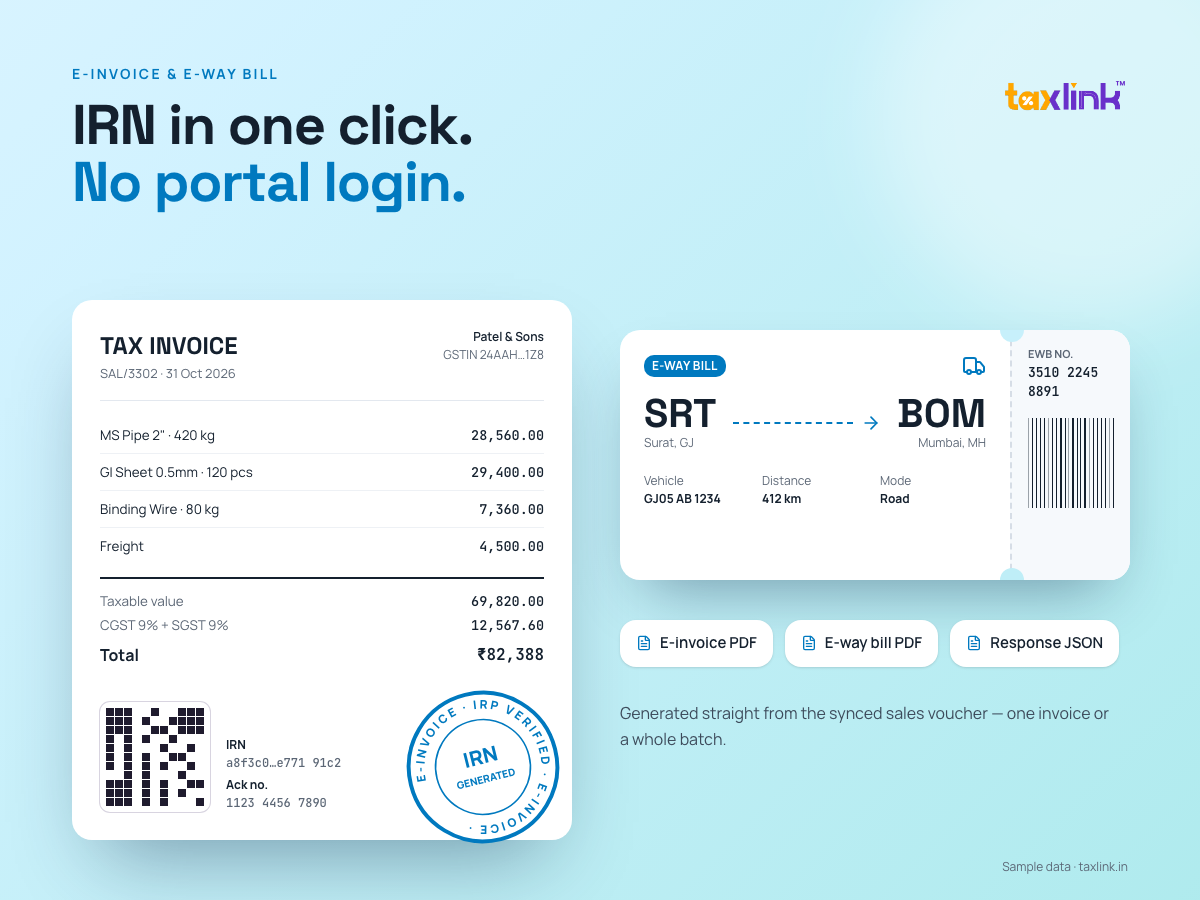
Taxlink generates e-invoice IRNs and e-way bills directly from synced sales vouchers — one invoice or many — and gives you the e-invoice PDF, e-way bill PDF and response JSON without a separate portal login.
Businesses and CAs generate IRN and e-way bills from Tally sales vouchers without logging into the government portal for every invoice.
Used by CAs + Accountants · ₹8,000 + GST/year with every module · Works with your existing Tally
Synced sales vouchers
The problem
What this solves for your practice
Copying voucher data into the e-invoice portal is slow and error-prone. Taxlink reads synced sales vouchers, sends compliant requests, and stores IRN status plus PDF and JSON downloads in one place.
How it works
Three steps, start to finish
- 1
Pick the vouchers
Synced sales vouchers are listed with party GSTIN and amount.
- 2
Generate IRN and e-way bill
E-invoice, e-way bill or both — add transporter and vehicle details once.
- 3
Download and share
E-invoice PDF, e-way bill PDF and the response JSON, with usage tracked.
Full workflow
From upload to Tally — step by step
- 1
Sync sales vouchers from Tally
Ensure sales vouchers for the period are in Taxlink via the Connector.
- 2
Configure e-invoice credentials
Complete the one-time e-invoice setup in Taxlink (GSTIN and credentials as prompted in the product).
- 3
Select vouchers to generate
Open the E-Invoice module. Choose E-Invoice, E-Way Bill, or Both per voucher or in bulk.
- 4
Enter transport details when needed
For e-way bills, add transporter GSTIN, vehicle number, mode (road, rail, air, ship), and distance where required.
- 5
Download documents
Save e-invoice PDF, e-way bill PDF, and JSON response from the voucher row. IRN status stays visible for audit.
Examples
How firms use this in practice
Local B2B invoice needs IRN only
Run E-Invoice on one voucher, download PDF and JSON, and share with the buyer.
Inter-state supply with movement
Generate Both so IRN and e-way bill are created together with vehicle and transporter details.
Bulk month-end dispatch
Select multiple synced vouchers and generate in batch, watching the usage meter for remaining e-invoices in your plan.
Supported inputs
Formats and compatibility
- Synced sales vouchers from Tally
- Downloads: e-invoice PDF, e-way bill PDF, response JSON
- Road, rail, air, and ship transport modes
Limitations to know
- Plan includes 100 e-invoices per year (10 during the 7-day trial); extra capacity requires contacting Taxlink.
- Voucher data must meet NIC validation rules — fix master data in Tally when generation fails.
- E-way bill rules still depend on government thresholds and distance rules at the time of movement.
Troubleshooting
Common errors and fixes
What's included
Everything you need for this job
- E-invoice, e-way bill or both from each sales voucher
- Transporter name and GSTIN, vehicle number and type
- Road, rail, air and ship transport modes, with distance
- E-invoice PDF, e-way bill PDF and response JSON downloads
- 100 e-invoices included in the plan, with a usage meter
- IRN and e-way bill status visible on every voucher
Guides
Related articles
FAQ
Common questions
Close books faster. Serve more clients.
Join CAs + Accountants who turned hours of data entry into minutes of review. Every module, ₹8,000 + GST a year — try it free for 7 days.