
Create Bulk Banking Entries in Taxlink
Upload bank statement files in bulk and turn them into banking entries. Taxlink accepts Excel (.xlsx, .xls), PDF and CSV statements.
Before you start
- An active Taxlink subscription and a role with bulk upload access
- Bank statement files in Excel, PDF or CSV format
- The bank account set up in Taxlink
Step 1: Open Bulk Upload
Open the Bulk Upload menu from the left sidebar.
- Log in to your Taxlink dashboard
- Click "Bulk Upload" in the left sidebar
Step 2: Select Banking
Choose Banking as the upload type.
- Click "Banking"
- The banking upload screen opens

Click the screenshot to open it full size. Step 3: Click Upload
Click the Upload button to start.
- Click the "Upload" button
- The upload panel opens
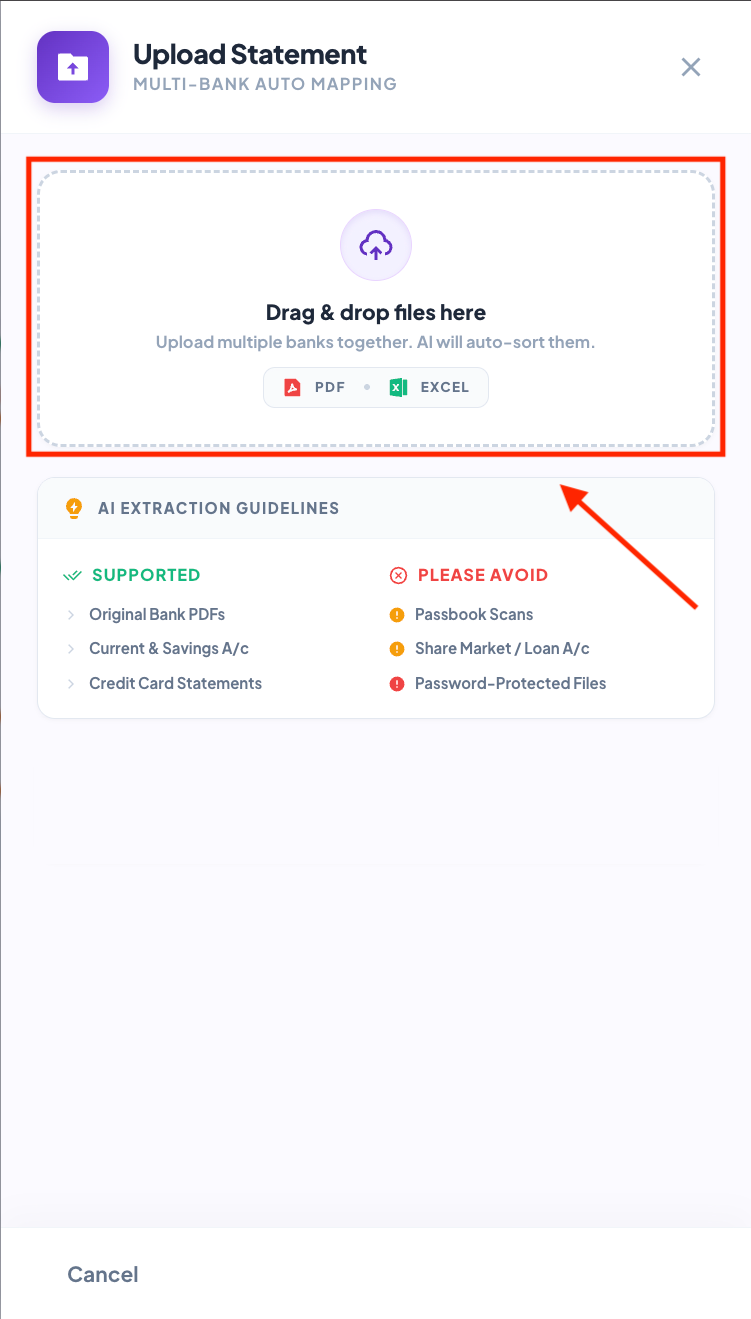
Step 4: Select the bank and upload the file
Pick the bank and upload the statement file.
- Select your bank account from the dropdown
- Choose the statement file from your computer
- Supported formats: Excel (.xlsx, .xls), PDF (.pdf), CSV (.csv)
- Click "Upload" to start processing
Click the screenshot to open it full size. Step 5: Let the file process
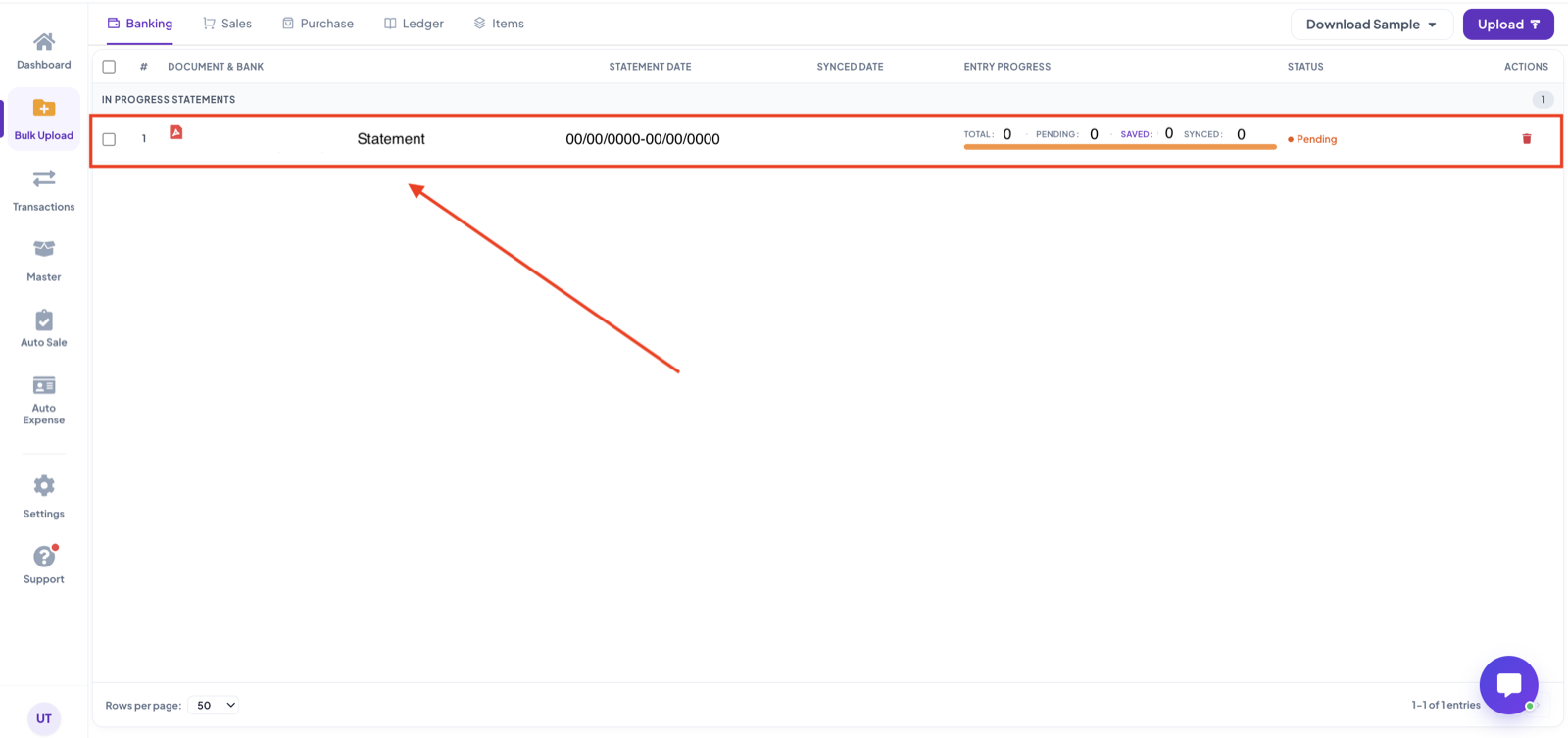
Taxlink reads the statement and checks the data.
- Wait for the upload to finish
- Review any validation messages or warnings
- Fix problems in the file and upload it again if needed
Step 6: Review and confirm
Check the imported transactions before you continue.
- Check transaction dates, amounts and descriptions
- Confirm the number of transactions imported
- The entries are now available in the Banking module
Click the screenshot to open it full size.
Tips
Check the file first
Make sure the statement file is complete and readable before uploading.
Large files take longer
Big statements take longer to process; wait for the upload to finish.
Organise by period
Keep statement files organised by date range so they are easy to manage.
Still stuck?
Email support@taxlink.in or call +91 84848 48833 (Monday to Saturday, 9 AM – 6 PM IST).